wisemonkeys logo
FeedNotificationProfileManage Forms
FeedNotificationSearchSign in
wisemonkeys logo

Blogs

BITCOIN WALLET

profile
Onkar Gaikwad
Apr 29, 2023
1 Like
0 Discussions
231 Reads

What is Bitcoin Wallet?

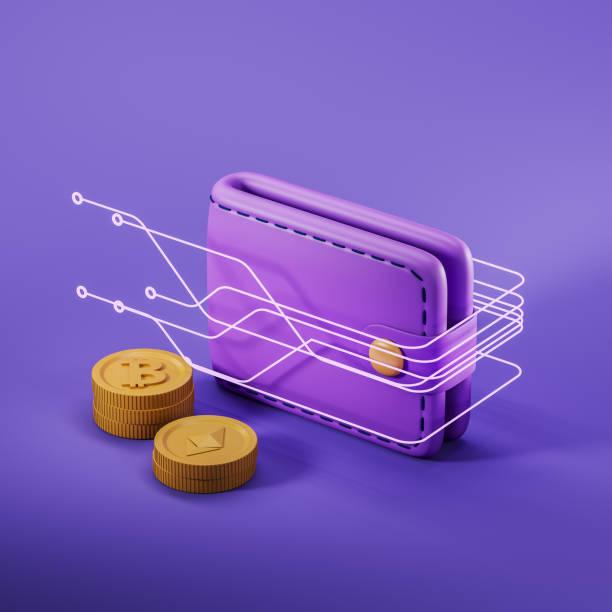
Similar to a traditional wallet you may carry in your pocket, a bitcoin wallet is used to store money. The difference is that instead of storing a collection of bills and cards, a bitcoin wallet stores a collection of bitcoin private keys.
On a practical level, a Bitcoin wallet is a device or program that is used to send and receive bitcoins. The term wallet can be a little confusing for people new to Bitcoin and crypto. A physical wallet is used to store physical currency, however a Bitcoin wallet does not store bitcoins within it. How can this work?

Well, most people already have something similar to this in their physical wallets right now: a debit card. The debit card in your wallet is not money, but it does grant you access to your money. This is similar to how a Bitcoin wallet works, with a key difference being that while a debit card is controlled by a centralized entity (a bank), no person or organization controls Bitcoin. This difference means that Bitcoin wallets must function somewhat differently than bank accounts.


How Bitcoin wallets work 

Continuing with the debit card analogy from above, a Bitcoin wallet holds at least one “account,” or sub-wallet. We can view this sub-wallet as being roughly equivalent to a debit card. For instance, debit cards have information associated with them, including an account number and a password. Each Bitcoin “account” within a Bitcoin wallet also has information associated with it. For our purposes, the two key pieces of information are the public bitcoin address and the private key. The public address is comparable to the debit card’s account number. The private key, meanwhile, is kind of like a debit card’s password in that it grants access to the bitcoin associated with that public bitcoin address. A private key is a 256-bit secret number. Here is an example:

108165236279178312660610114131826512483935470542850824183737259708197206310322

As you can see, this secret number is a bit unwieldy. One of the key functions of a Bitcoin wallet is to manage the private key. In fact, private keys are almost never handled directly by users. Bitcoin wallets provide a way to write down this private key in a much more human readable format, referred to as a recovery phrase, secret passphrase, or seed phrase. A recovery phrase is a list of words, usually between 12 and 24, that allow you to reconstruct your Bitcoin wallet and gain access to your funds even if your Bitcoin wallet is destroyed. Here is an example of a recovery phrase consisting of 12 words. Because the recovery phrase is equivalent to a private key, you should never share the words with anyone, or store the plain text on your computer or online.

While the recovery phrase is an improvement upon the private key, it still leaves a lot to be desired. Since you shouldn't store your recovery phrase in plain text (unencrypted form) on your computer, for most people the best solution is to write it down on paper. This presents problems because safely storing a piece of paper can be hard. Further, if you're using a multi-coin wallet (like the Bitcoin.com Wallet), you'll have a separate recovery phrase for every different blockchain your wallet supports. Storing all those recovery phrases on paper quickly becomes onerous. For this reason, the Bitcoin.com Wallet integrates a “Cloud Backup” system. Here you can create a single custom password and use it to unlock all of your private keys, which are stored in encrypted form in your Google or iCloud account.


Types of wallets

There are two main types of wallets: hardware wallets and software wallets.

  1. Hardware wallets are the most secure type of Bitcoin wallet because their private keys are stored on a physical device and theoretically cannot be accessed by a computer or from the internet. When a person wishes to make a transaction, they plug in the hardware wallet (usually via USB). The hardware wallet will sign transactions without compromising the private key. The downside to hardware wallets is the cost and availability of the devices. Ledger and Trezor are well known hardware wallets.
  2. Software wallets exist on computing devices, like a desktop computer, a smartphone, or in a web browser. Since computing devices run many programs or applications, they are susceptible to viruses, malware, and phishing schemes, making all software wallets vulnerable to some degree. That being said, hacking incidents are extremely rare and software wallets are generally considered safe for everyday use.

There are many software wallet choices, which can make choosing overwhelming. We welcome you to try the Bitcoin.com Wallet, which is an easy-to-use but powerful crypto wallet trusted by millions.



Comments ()


Sign in

Read Next

Protect yourself from System Hacking with these Simple Steps

Blog banner

Modern operating system

Blog banner

Virtual memory

Blog banner

A small world of Sockets

Blog banner

Technical SEO : Total Guide

Blog banner

File system

Blog banner

The Role of Data Provenance and Lineage in Modern Data Science

Blog banner

Life

Blog banner

Understanding - Proof of Work!

Blog banner

Google classroom

Blog banner

Hacking of web server and application

Blog banner

URL vs Domain

Blog banner

Kernel Modes: User Mode vs. Kernel Mode - 80

Blog banner

15 Websites that will make your life easier ...!!!

Blog banner

Expressing and Measuring Risk (Risk Management)

Blog banner

Computer security techniques

Blog banner

Data Science in Everyday Life (like a phone, shopping cart, or social media icons)

Blog banner

Odoo

Blog banner

Cloud Computing: Threats and Vulnerabilities

Blog banner

I Personally

Blog banner

How to make Pancakes

Blog banner

SMARTSHEET

Blog banner

'Positivity in life'

Blog banner

CONCURRENCY

Blog banner

MOBILE DEVICE FORENSIC

Blog banner

Traveling

Blog banner

Man VS Nature

Blog banner

Memory Management

Blog banner

Operating System

Blog banner

Image Steganography: Hiding Secrets in Plain Sight

Blog banner

Survey of Which Movies Types people are Prefer to Watch in India.

Blog banner

Virtual Memory

Blog banner

Blockchain

Blog banner

Zomato's Secret Digital Marketing Techniques!

Blog banner

SPAM

Blog banner

HOW CAN SOCIAL MEDIA MAKE YOU HAPPIER?

Blog banner

Memory management

Blog banner

Social Engineering

Blog banner

Deadlock and Starvation in an Operating System

Blog banner

Benefits of yoga and meditation

Blog banner

The House ??of Patola Designs: Traditional Weaves with a Modern Twist

Blog banner

Virtual memory

Blog banner