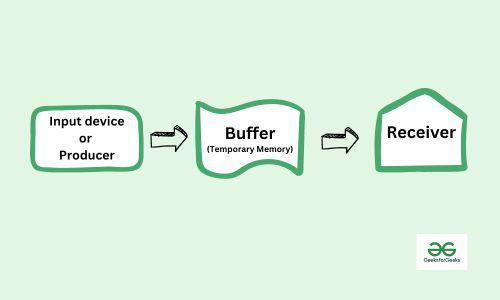
A buffer is a memory area that stores data being transferred between two devices or between a device and an application. In computer I/O buffering techniques are used to manage transfer of data between memory and I/O devices. This allows the CPU and I/O devices to work at their speeds without having to wait for each other, improving system’s overall performance.
Computers have many different devices that operate at varying speeds, and a buffer is needed to act as a temporary placeholder for everything interacting. This is done to keep everything running efficiently and without issues between all the devices, programs, and processes running at that time.
There are 3 types of buffers in OS:
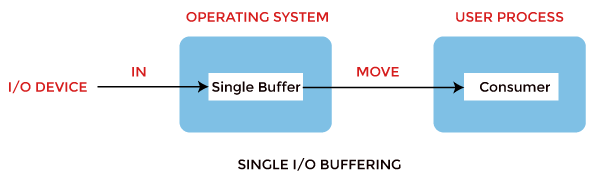
1. Single buffer: Using one buffer to store data temporarily. A buffer is provided by the operating system to the system portion of the main memory.
Block oriented device:
· The system buffer takes the input.
· After taking the input, the block gets transferred to the user space by the process and then the process requests for another block.
· Two blocks work simultaneously, when one block of data is processed by the user process, the next block is being read in.
· OS can swap the processes.
· OS can record the data of the system buffer to user processes.
Stream oriented device:
· Line- at a time operation is used for scroll-made terminals. The user inputs one line at a time, with a carriage return signaling at the end of a line.
· Byte-at-a-time operation is used on forms mode, terminals when each keystroke is significant.
2. Double Buffer: In this technique the operating system Uses two buffers to allow continuous data transfer between two process or two devices.
Block oriented:
· There are two buffers in the system.
· One buffer is used by the driver or controller to store data while waiting for it to be taken by higher level of the hierarchy.
· Other buffer is used to store data from the lower level module.
· Double buffering is also known as buffer swapping.
· A major disadvantage of double buffering is that the complexity of the process gets increased.
· If the process performs rapid bursts of I/O, then using double buffering may be deficient.
Stream Oriented:
· Line- at a time I/O, the user process need not be suspended for input or output, unless process runs ahead of the double buffer.
· Byte- at a time operations, double buffer offers no advantage over a single buffer of twice the length.

3. Circular Buffer: In this technique the OS Uses a circular buffer to manage continuous data streams efficiently.
· When more than two buffers are used, the collection of buffers is itself referred to as a circular buffer.
· In this, the data do not directly pass from the producer to the consumer because the data would change due to overwriting of buffers before they had been consumed.
· The producer can only fill up to buffer i-1 while data in buffer i is waiting to be consumed.