
wisemonkeys logo
FeedNotificationProfileManage Forms
FeedNotificationSearchSign in
wisemonkeys logo

Blogs

How to use open SSL for web server - browser communication

profile
Genius Ape
Oct 08, 2017
0 Likes
0 Discussions
1578 Reads
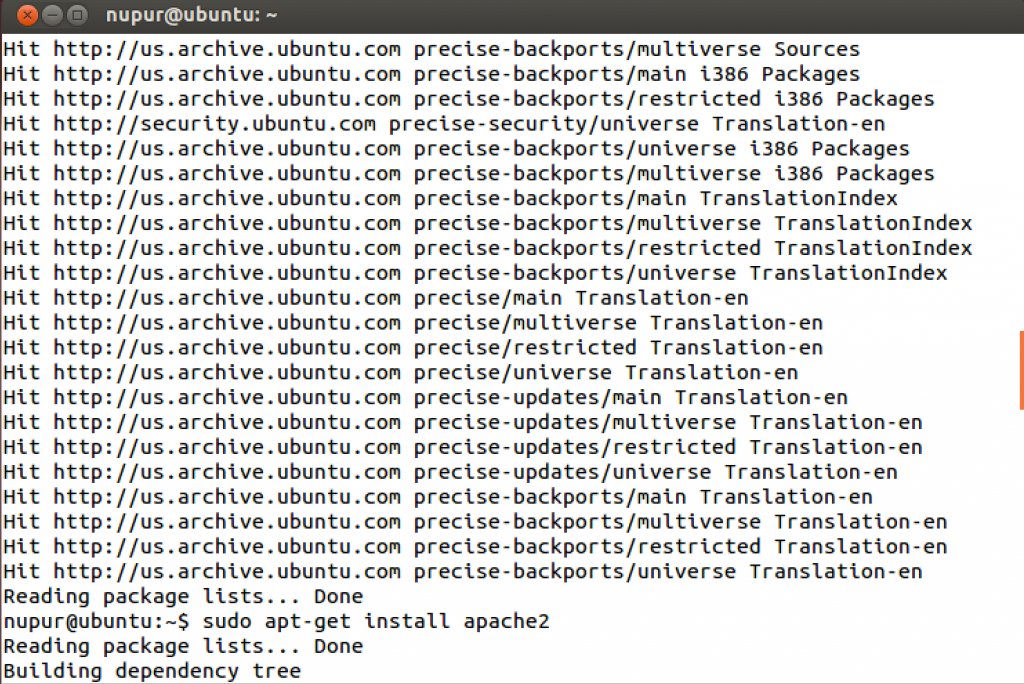
  Author : Nupur Bhatt           Open Ubuntu Terminal, enter the following commands :   Type sudo apt-get install apache2 to install Apache.   How to use open SSL for web server - browser communication.   How to use open SSL for web server - browser communication.   Step One—Activate the SSL Module The next step is to enable SSL on the droplet. Follow up by restarting Apache.   How to use open SSL for web server - browser communication.   Step Two—Create a New Directory We need to create a new directory where we will store the server key and certificate Step Three—Create a Self Signed SSL Certificate When we request a new certificate, we can specify how long the certificate should remain valid by changing the 365 to the number of days we prefer. As it stands this certificate will expire after one year.With this command, we will be both creating the self-signed SSL certificate and the server key that protects it, and placing both of them into the new directory. The most important line is "Common Name". Enter your official domain name here or, if you don't have one yet, your site's IP address. How to use open SSL for web server - browser communication.   Step Four—Set Up the Certificate To set up the virtual hosts to display the new certificate, open up the SSL config file: sudo nano /etc/apache2/sites-available/default-ssl. How to use open SSL for web server - browser communication.   Within the section that begins with <VirtualHost _default_:443>, quickly make the following changes. Add a line with your server name right below the Server Admin email: ServerName example.com:443 Replace example.com with your DNS approved domain name or server IP address (it should be the same as the common name on the certificate). Find the following three lines, and make sure that they match the extensions below: SSLEngine on SSLCertificateFile /etc/apache2/ssl/apache.crt SSLCertificateKeyFile /etc/apache2/ssl/apache.key Save and Exit out of the file. How to use open SSL for web server - browser communication.   Step Five—Activate the New Virtual Host Before the website that will come on the 443 port can be activated, we need to enable that Virtual Host: sudo a2ensite default-ssl Restarting your Apache server will reload it with all of your changes in place. sudo service apache2 reload   How to use open SSL for web server - browser communication.   In the browser, type https://127.0.0.1, and you will be able to see the new certificate. Click on Add Exception. Click on View certificate.   How to use open SSL for web server - browser communication.   How to use open SSL for web server - browser communication. How to use open SSL for web server - browser communication. How to use open SSL for web server - browser communication. How to use open SSL for web server - browser communication. How to use open SSL for web server - browser communication.
Comments ()


Sign in

Read Next

Sniffing: A Cyber Security Threat

Blog banner

Virtual memory

Blog banner

WAKE UP ITS FOOD o'CLOCK...!!!!!

Blog banner

The Power of Forensic Watermarking in the Fight Against Content Piracy

Blog banner

Types of E-Commerce

Blog banner

Which Smartphone Company Has the Largest Market Share in India?

Blog banner

Esri India launches Policy Maps.

Blog banner

38_Network Sniffing Techniques_SBC

Blog banner

Memory management

Blog banner

Multiprocessor scheduling

Blog banner

Depression

Blog banner

Life lesson

Blog banner

CONCURRENCY

Blog banner

All you need to know about Website Traffic

Blog banner

Excel records

Blog banner

Top 5 Post-Wedding Skin Care Tips

Blog banner

Latest Email Marketing Techniques

Blog banner

Partnership in Learning: How Parent Involvement Shapes a Child’s Early Education

Blog banner

10 Reasons to Date a South Indian Girl

Blog banner

It's all about our Brain.- The Brain Metaphor

Blog banner

Virtual Memory

Blog banner

Education: Key to your Prosperity

Blog banner

Building a Better You: Fitness Tips and Inspiration.

Blog banner

Digital Marketing

Blog banner

Evolution of OS

Blog banner

Design Considerations for Disk Cache Management

Blog banner

Whatsapp Messenger

Blog banner

Data Mapping

Blog banner

Why is ITSM important in IT organization?

Blog banner

I/O Buffering

Blog banner

Processes: Process Description and Control.

Blog banner

MOBILE DEVICE FORENSIC

Blog banner

Virtual Memory

Blog banner

Paging

Blog banner

Balance

Blog banner

Zero Trust Security Model: Revolutionizing Cybersecurity in the Digital Age

Blog banner

Self managing devices

Blog banner

Pilgrimage at LOC: A privilege and a paradox

Blog banner

Embaded operating system

Blog banner

Evolution of Operating system

Blog banner

Types of Hackers

Blog banner

Buffers in Operating Systems

Blog banner