wisemonkeys logo
FeedNotificationProfileManage Forms
FeedNotificationSearchSign in
wisemonkeys logo

Blogs

How to Encrypt and Decrypt Using GNU PGP
profile
Kiddoneeta
Oct 08, 2017
0 Likes
0 Discussions
629 Reads

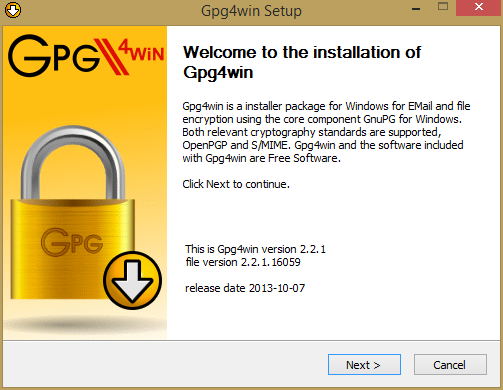
Steps for Installing GPG4WiN:
Open gpg4win setup file and then click on Next button

How to Encrypt and Decrypt Using GNU PGP
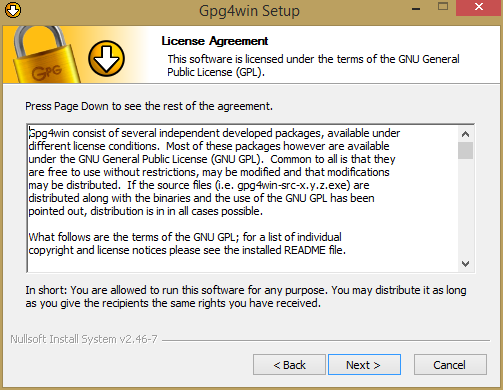
Click on Next button

How to Encrypt and Decrypt Using GNU PGP

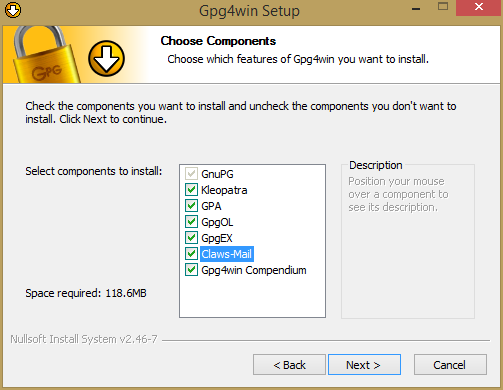
Select all options and then click on Next button

How to Encrypt and Decrypt Using GNU PGP

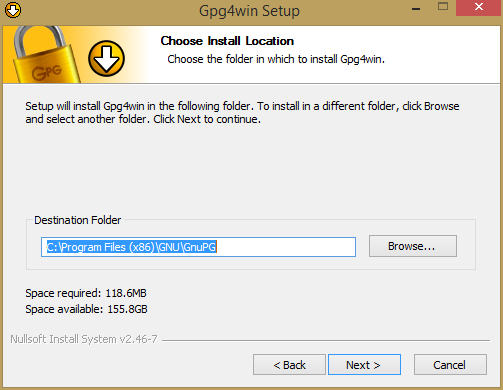
Select destination for where it is going to save

How to Encrypt and Decrypt Using GNU PGP

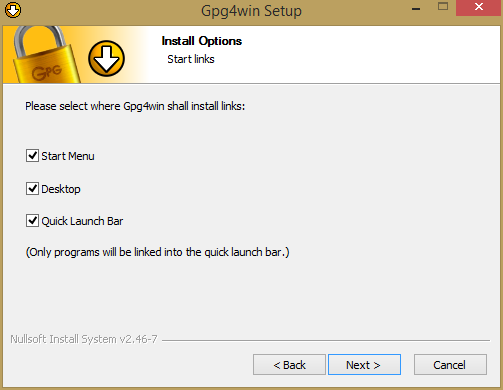
Select all options and then click on Next button

How to Encrypt and Decrypt Using GNU PGP

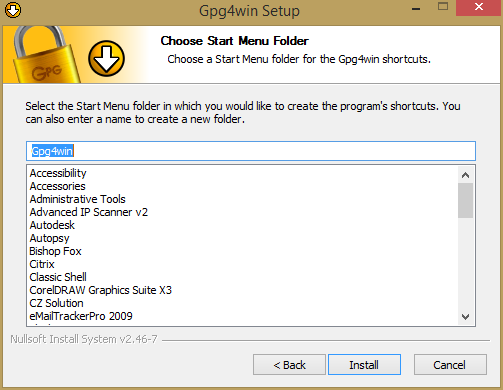
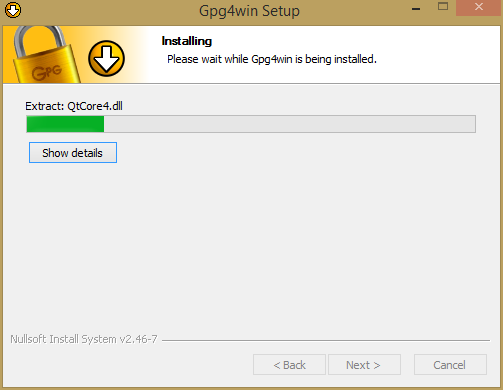
Click on Install button

How to Encrypt and Decrypt Using GNU PGP

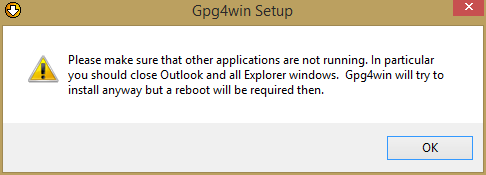
Click on OK button

How to Encrypt and Decrypt Using GNU PGP

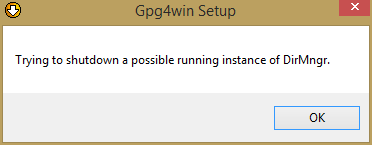
Click on OK button

How to Encrypt and Decrypt Using GNU PGP How to Encrypt and Decrypt Using GNU PGP

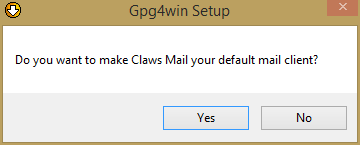
Click on Yes button

How to Encrypt and Decrypt Using GNU PGP

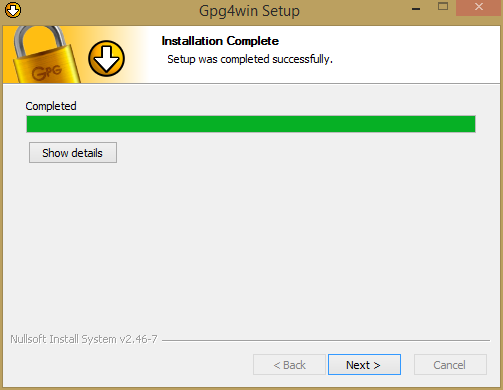
Click on Next button

How to Encrypt and Decrypt Using GNU PGP

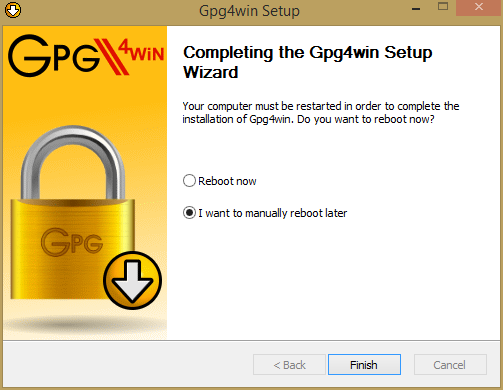
Select option "I want to manually reboot later". And click on Finish button

How to Encrypt and Decrypt Using GNU PGP

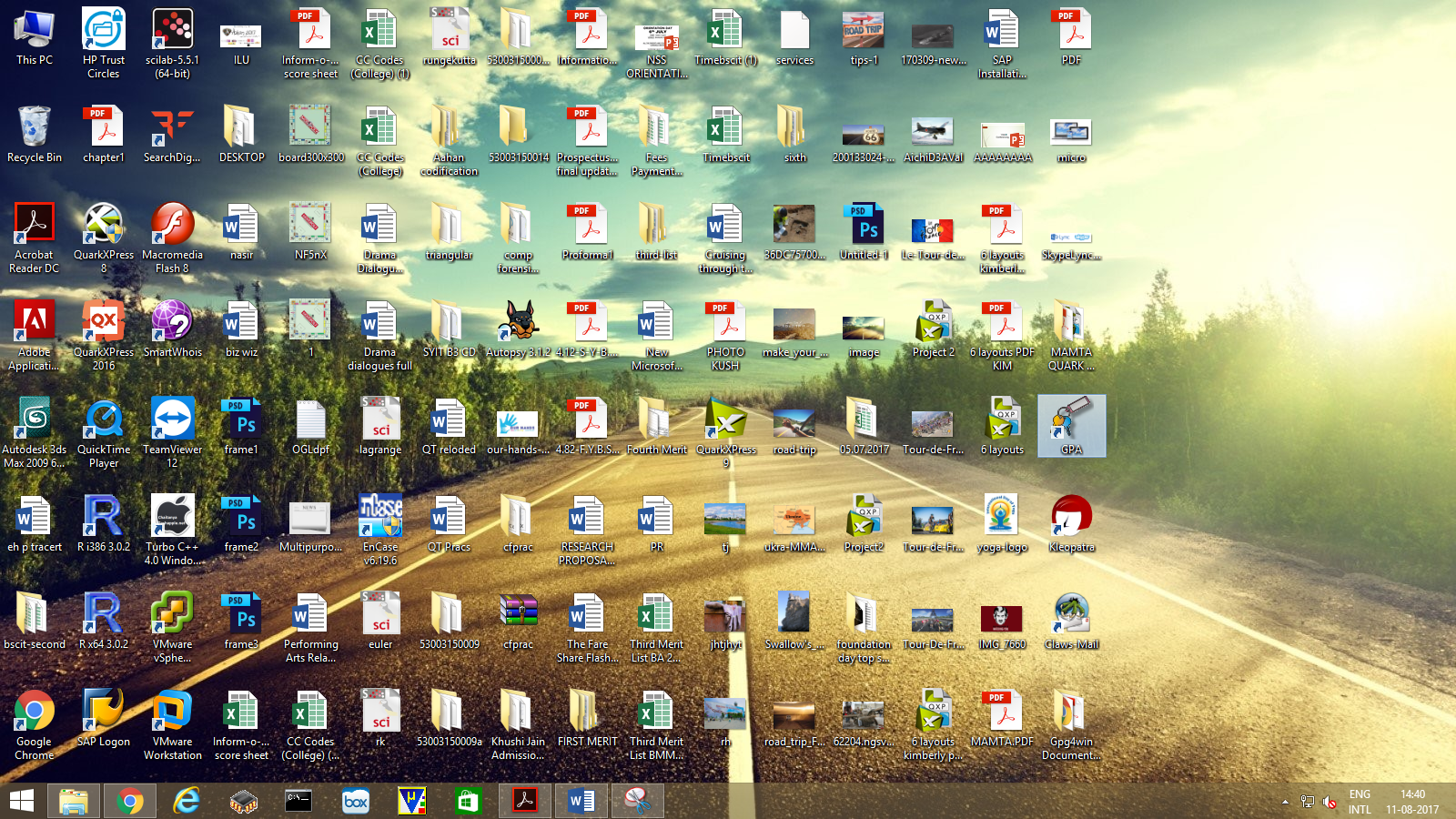
Now open the software GPA

How to Encrypt and Decrypt Using GNU PGP

Generating private keys:

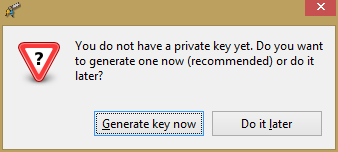
Click on Generate key now button

How to Encrypt and Decrypt Using GNU PGP

How to Encrypt and Decrypt Using GNU PGP

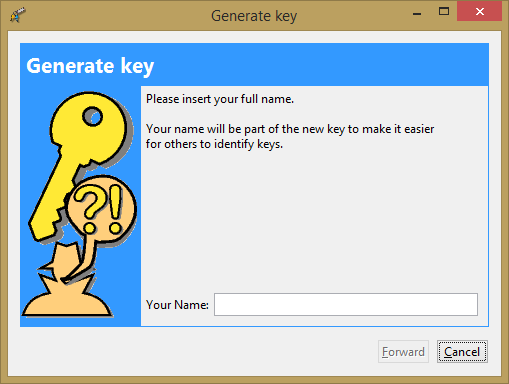
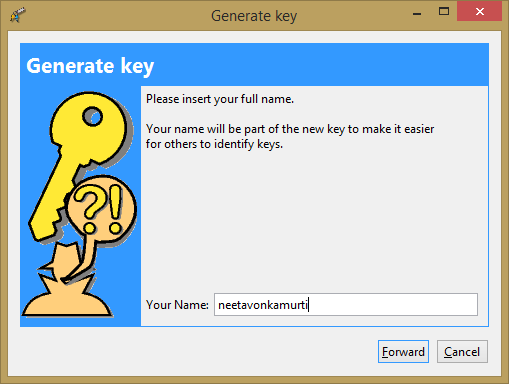
Enter the name

How to Encrypt and Decrypt Using GNU PGP

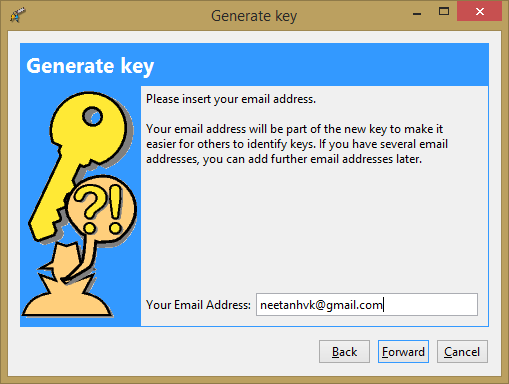
Enter Email Address

How to Encrypt and Decrypt Using GNU PGP

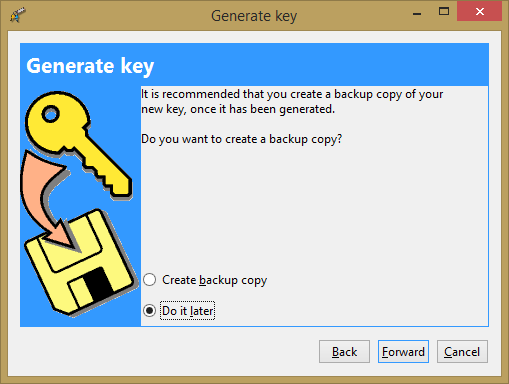
Select option "Do it later" and then click on Forward button

How to Encrypt and Decrypt Using GNU PGP How to Encrypt and Decrypt Using GNU PGP

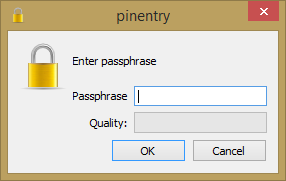
Enter password and click on OK button

How to Encrypt and Decrypt Using GNU PGP

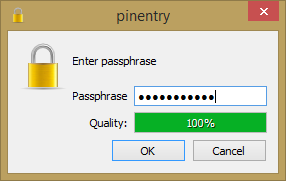
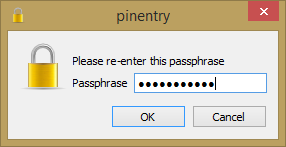
Re-Enter the same password and click OK button

How to Encrypt and Decrypt Using GNU PGP

This will generate the key.

Exporting keys:

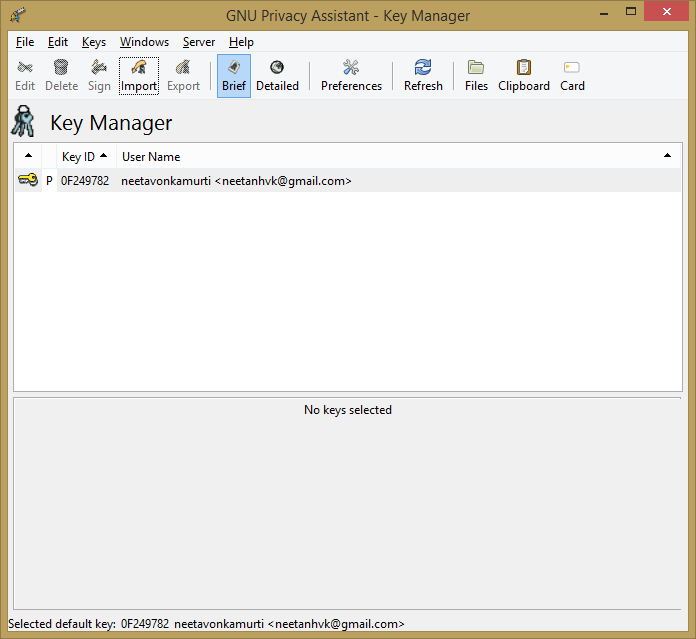
How to Encrypt and Decrypt Using GNU PGP

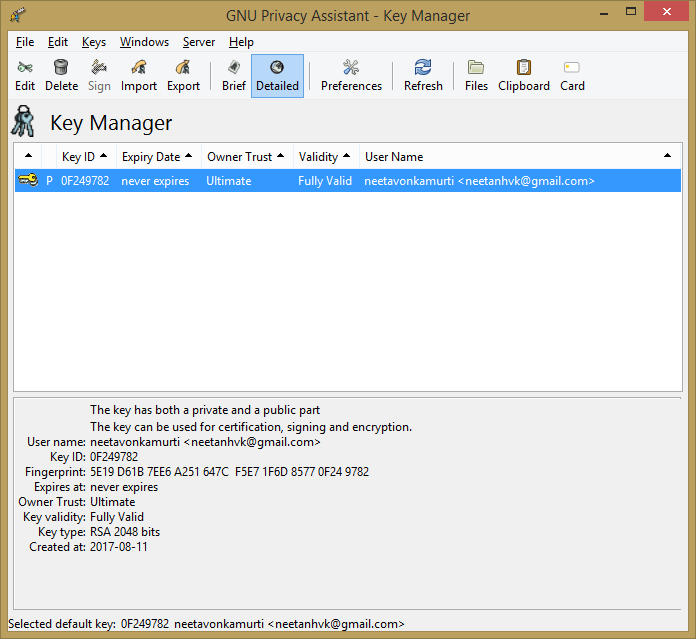
Click on Detailed button

How to Encrypt and Decrypt Using GNU PGP

Click on Export tab

How to Encrypt and Decrypt Using GNU PGP

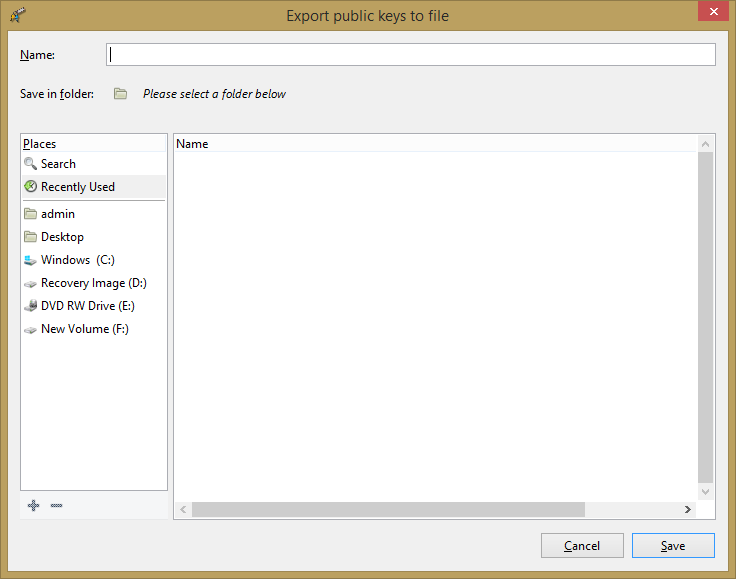
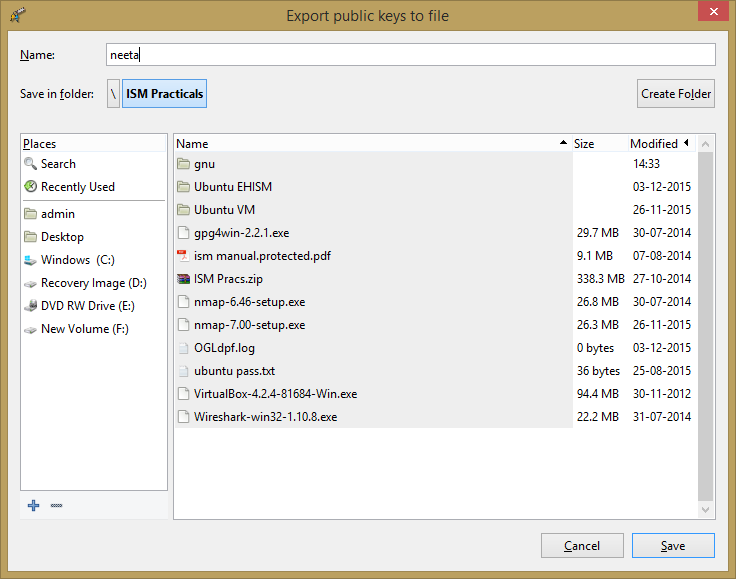
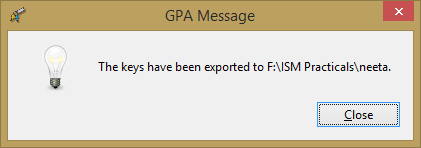
Give name to the file

How to Encrypt and Decrypt Using GNU PGP How to Encrypt and Decrypt Using GNU PGP

For Encrypt,

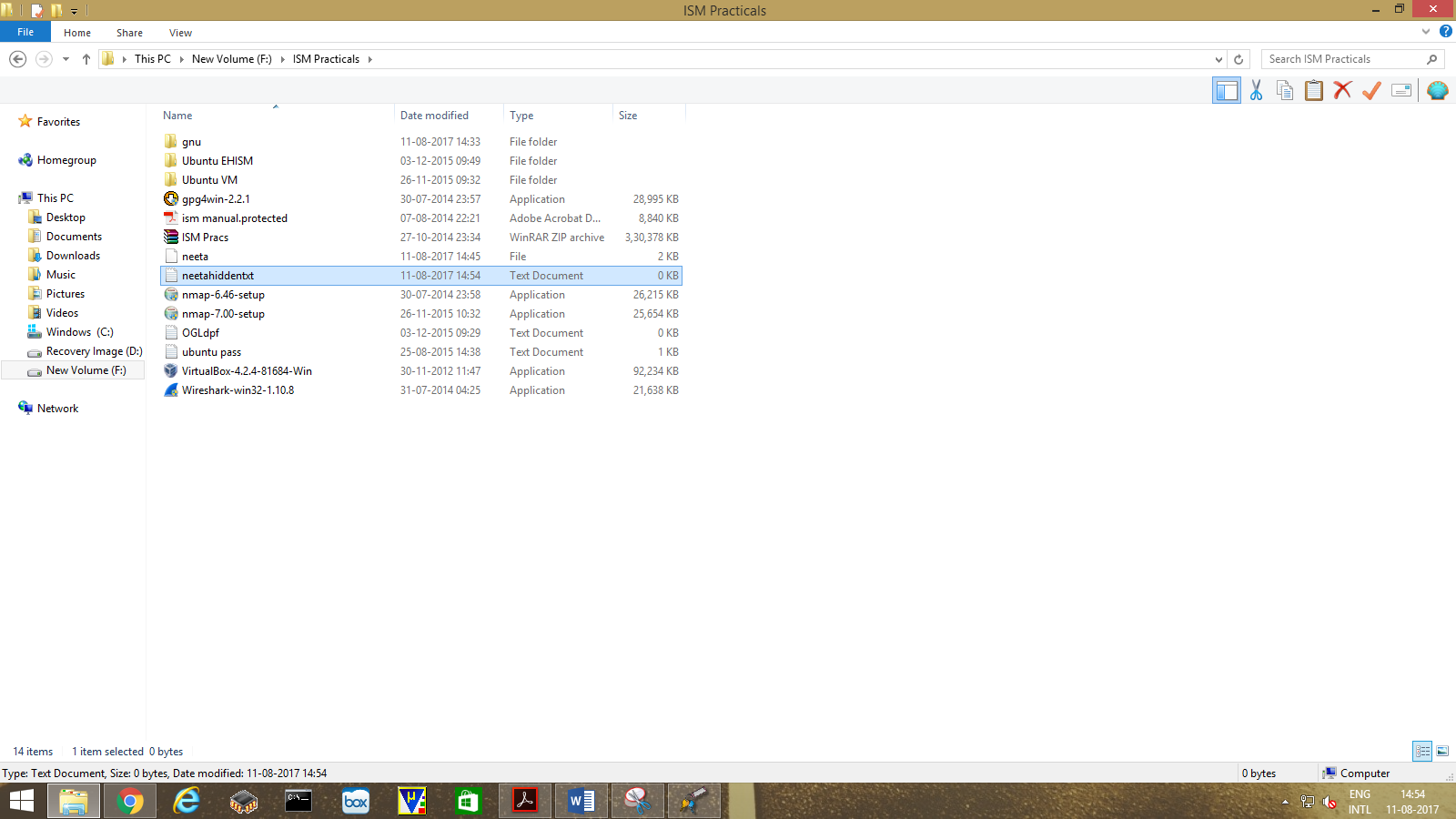
Create new text file . Write few text on it like "This is hidden text" and Save it.

How to Encrypt and Decrypt Using GNU PGP

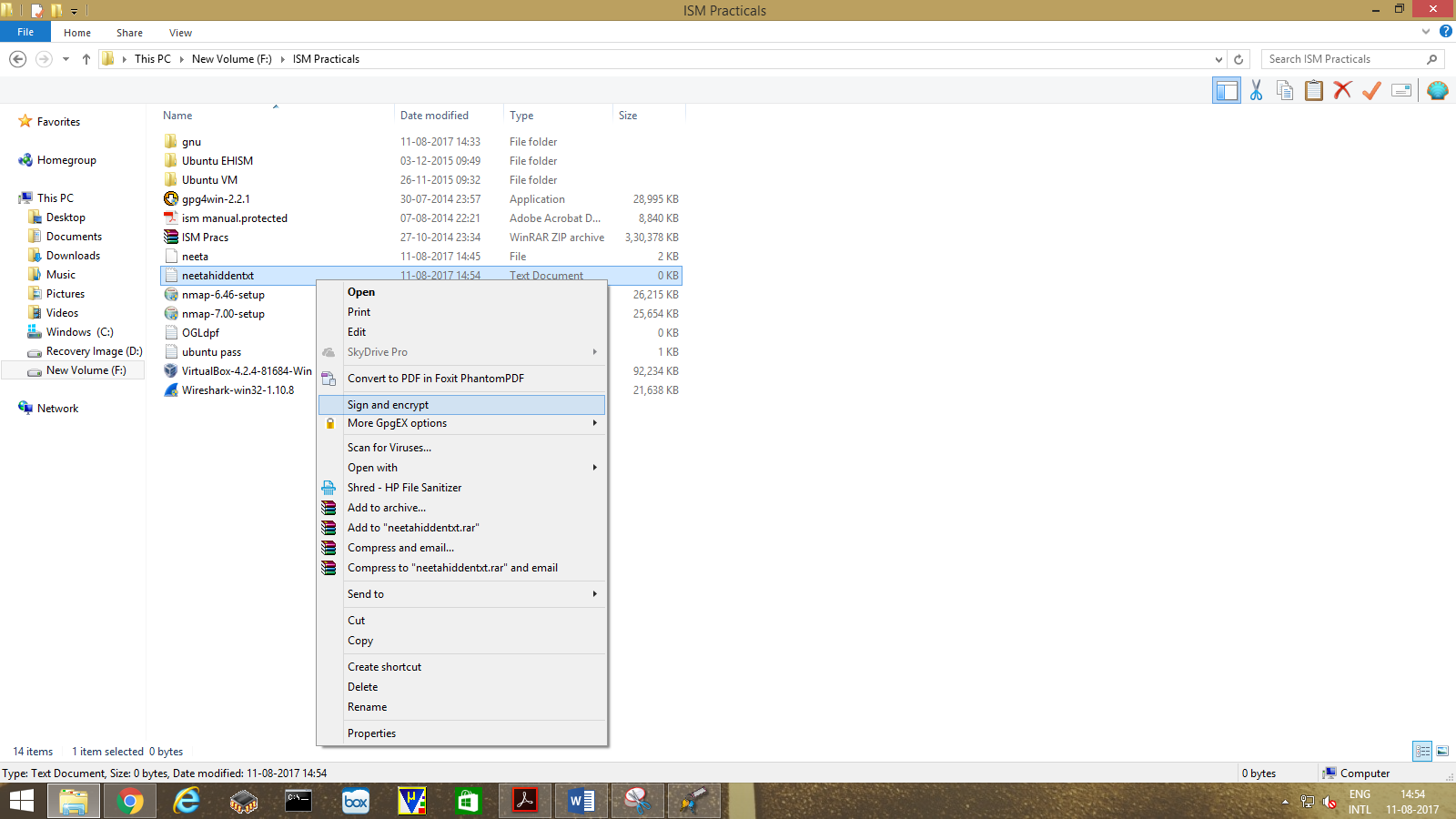
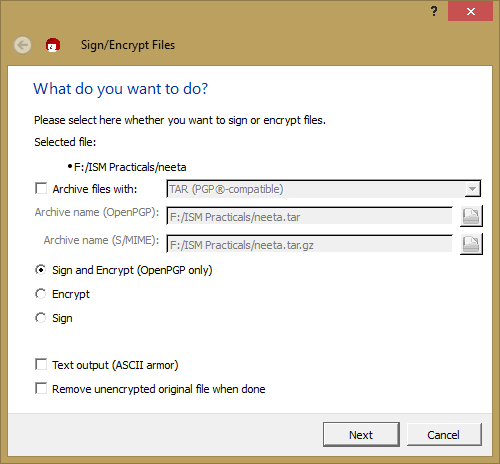
Right Click on that text file. Select "Sign and Encrypt".

How to Encrypt and Decrypt Using GNU PGP

Select the option "Sign and Encrypt (OpenPGP only)" and click Next button

How to Encrypt and Decrypt Using GNU PGP

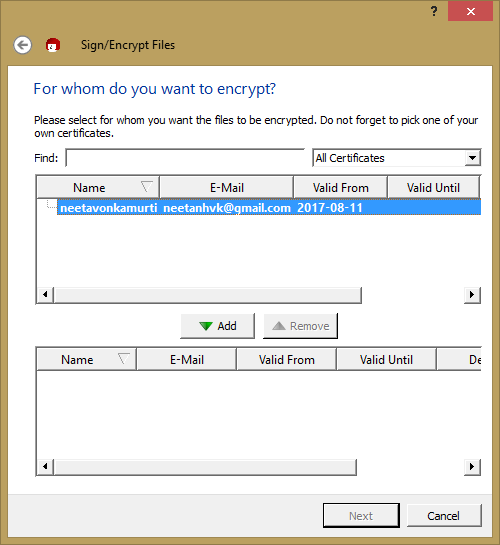
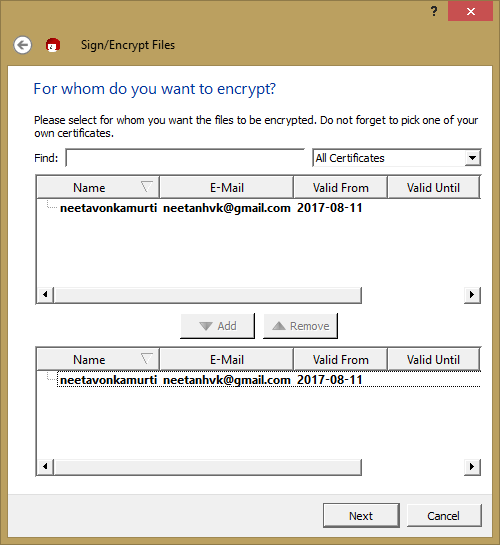
Select the file and click on ADD button

How to Encrypt and Decrypt Using GNU PGP

Then click on Next button

How to Encrypt and Decrypt Using GNU PGP

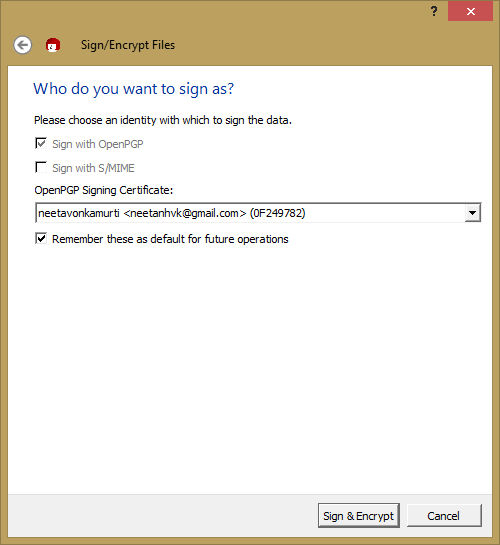
Click on "Sign & Encrypt" button

How to Encrypt and Decrypt Using GNU PGP

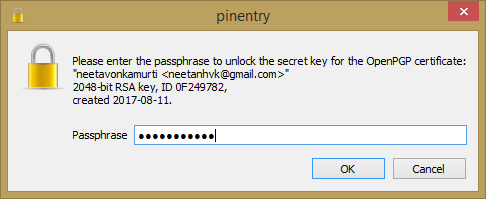
Type password as you had given pervious and click on OK button

How to Encrypt and Decrypt Using GNU PGP

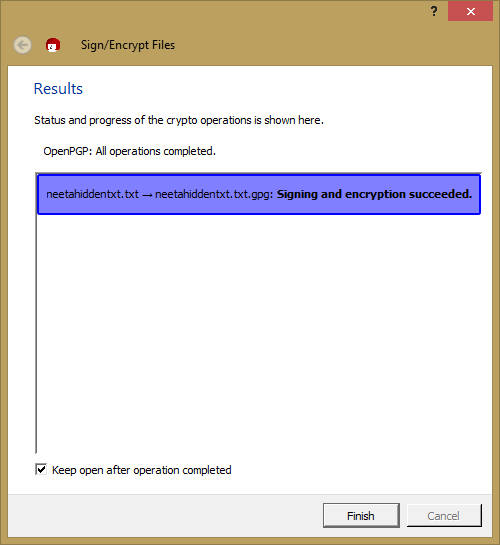
Click on Finish button

How to Encrypt and Decrypt Using GNU PGP

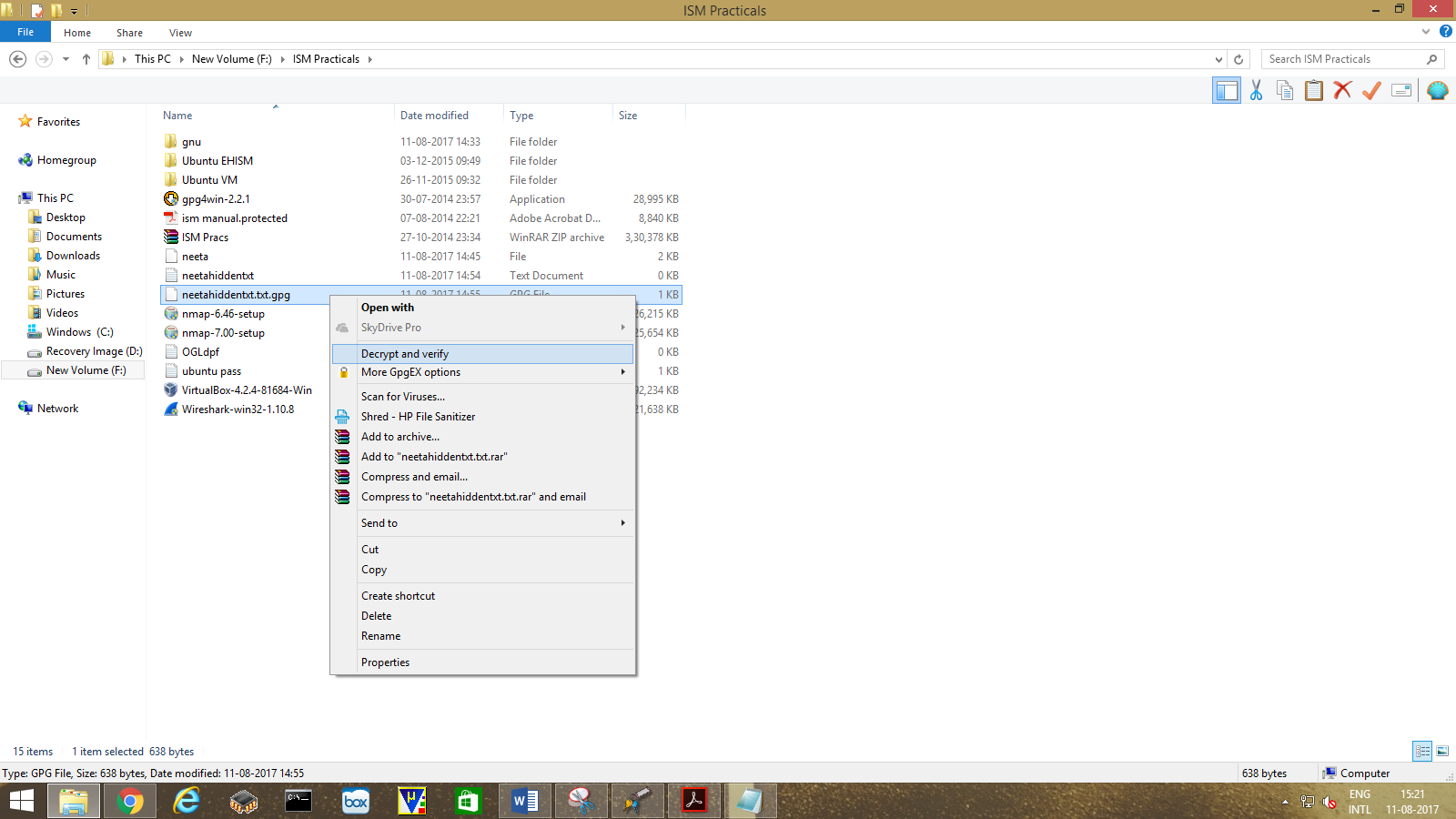
For Decrypt,

Right Click on extension of file which is gpg . Select "Decrypt and Verify".

How to Encrypt and Decrypt Using GNU PGP

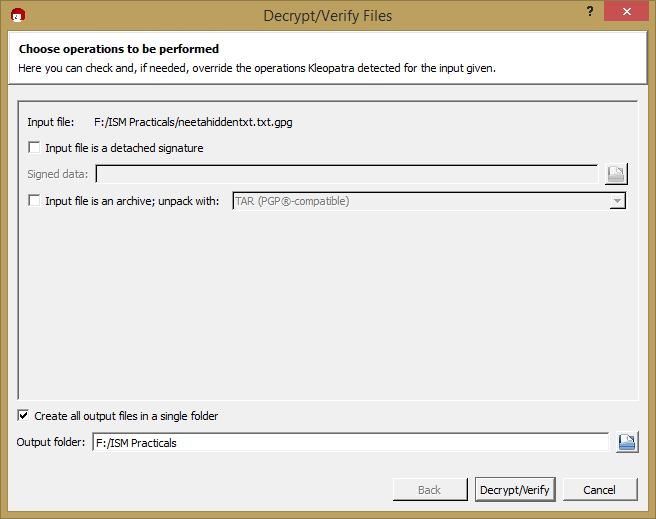
Click on "Decrypt/Verify" button

How to Encrypt and Decrypt Using GNU PGP

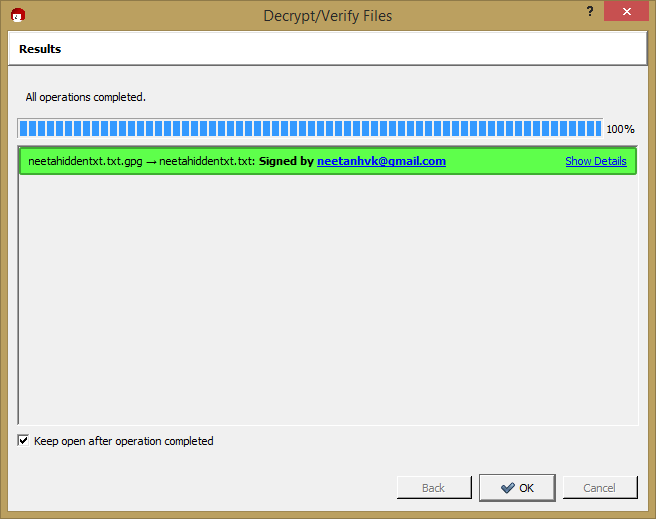
Click on Finish button

How to Encrypt and Decrypt Using GNU PGP          

Comments ()


Sign in

Read Next

MUTUAL EXCLUSION

Blog banner

Memory Management

Blog banner

Caching windows

Blog banner

Getting into anime My anime suggestions

Blog banner

Bulk E-mail software

Blog banner

SAVE TREES

Blog banner

Dangers of Using Public WiFis

Blog banner

Top 10 Logos and their meanings

Blog banner

Race condition

Blog banner

Oracle Corporation

Blog banner

RAID - LEVELS OF RAID

Blog banner

Reclaim Your Bite and Beauty: All About Dental Restorative Treatments

Blog banner

Disk scheduling

Blog banner

Procedure For Corporate High-Tech Investigations

Blog banner

First-Order Logic (FOL): The Foundation of Modern Logic

Blog banner

Operating Systems

Blog banner

Memory Management

Blog banner

Know your Processors!

Blog banner

CYBERBULLYING: Negative comments!

Blog banner

Explain the concept of ( MIS) Management information systems

Blog banner

security requirements for safe e-payment

Blog banner

"Mahakali cave"

Blog banner

Data Visualization

Blog banner

FIREWALL

Blog banner

Should you be using a mouthwash? Know from the experts

Blog banner

clock

Blog banner

LIFEHACKER

Blog banner

Synchronization

Blog banner

Child labour

Blog banner

Big Data Architecture

Blog banner

Top 5 Places To Stay And Visit In Berlin, Germany

Blog banner

Importance Of Time

Blog banner

Have You Explored India Yet?

Blog banner

Introduction to Data Science: Life Cycle & Applications

Blog banner

The Future of Cybersecurity: Trends, Challenges, and Strategies

Blog banner

Pooja Silver

Blog banner

Video games

Blog banner

Android Flashlight Application

Blog banner

Deadlocks

Blog banner

What is Network Security?

Blog banner

Data Science in Everyday Life (like a phone, shopping cart, or social media icons)

Blog banner

“CONSISTENCY” in Social Media Marketing

Blog banner